> For the complete documentation index, see [llms.txt](https://docs.edgetag.io/llms.txt). Markdown versions of documentation pages are available by appending `.md` to page URLs; this page is available as [Markdown](https://docs.edgetag.io/api/getting-started/oauth-2.0/oauth-app.md).
# OAuth app
### Adding an app
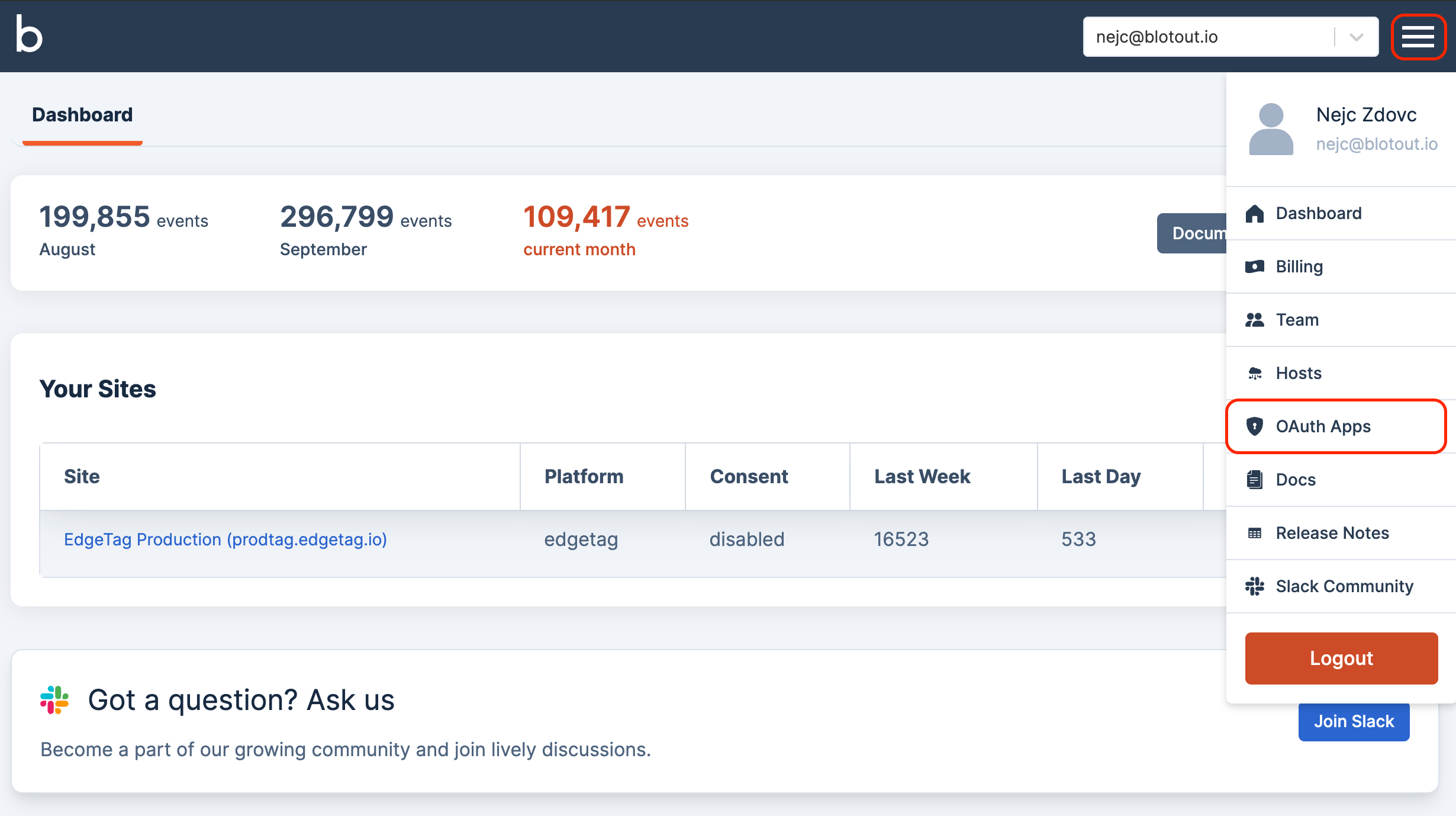
To begin, visit [https://app.edgetag.io](https://app.edgetag.io/) and choose a team to which you want to add an OAuth application. In the top right corner, click on the menu and then select "OAuth Apps". From there, let's click on "Add OAuth App".
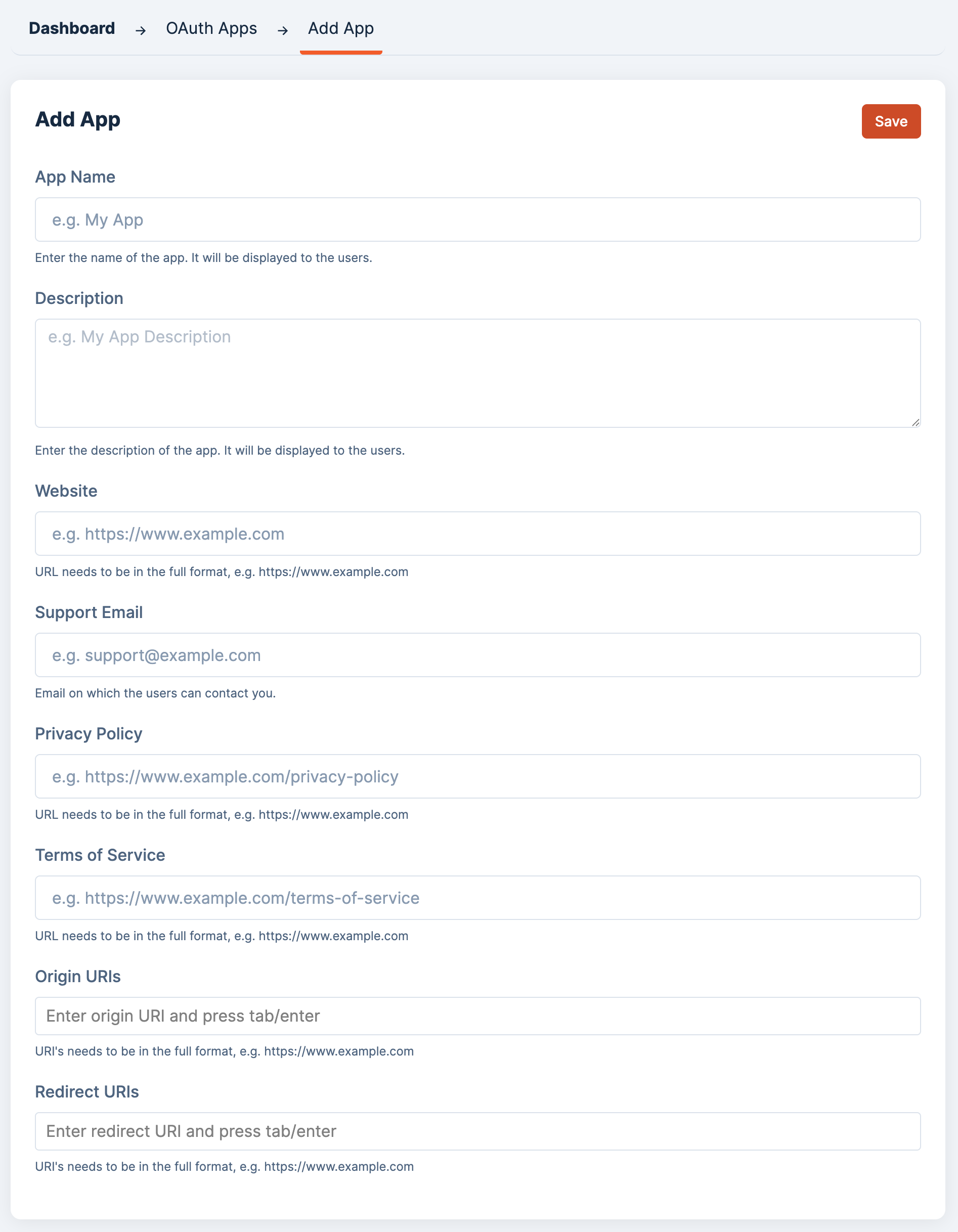
You will see a form that needs to be completed. Let's go through each field and its purpose:
#### **App Name**
Enter a name that your users will recognize. Make sure it is clear and reflects your product.
#### **Description**
Provide a description of your app, explaining what it does and why you need a connection to EdgeTag. This will help the reviewer approve your app more quickly.
#### Website
Include the website for your product that explains its functions.
#### Support Email
This should be a dedicated email address for support. EdgeTag users should be able to reach you here if they have questions about the integration.
#### Privacy Policy
Provide a link to your Privacy Policy, clearly stating how you handle data related to the app that users will connect to their EdgeTag accounts.
#### Terms of Service
Share a link to the Terms of Service that apply to the app that users will connect to their EdgeTag accounts.
#### Origin URIs
These are the URLs where "Login with EdgeTag" will be implemented, indicating the sites from which users will be redirected to app.edgetag.io.
#### Redirect URIs
List the allowed redirect URIs that EdgeTag can use to redirect back once the OAuth process is complete.
### Client ID and Secret
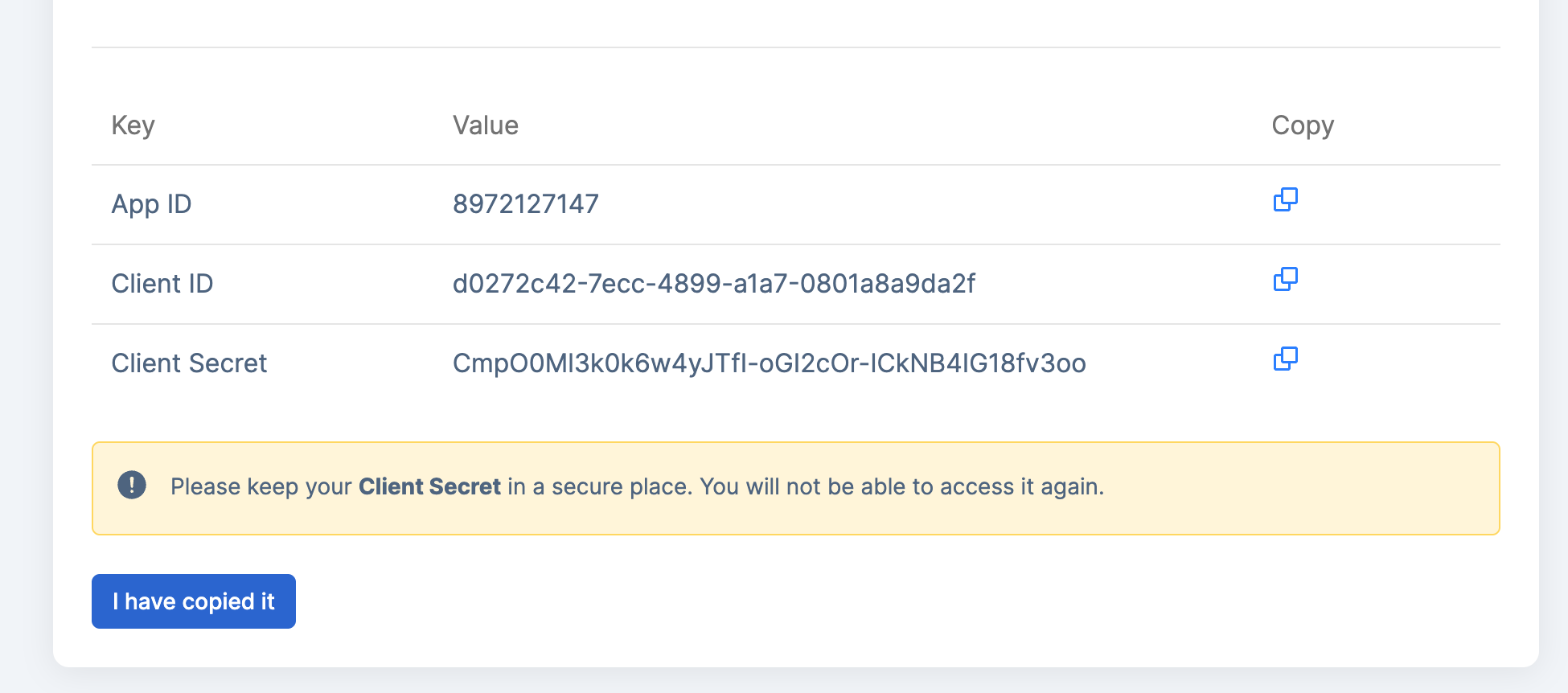
After completing all the fields, click "Save." You will now see another section at the bottom of the form, which will give you Client ID and Client Secret. Make sure that you save both of them in a safe place, especially the Client Secret, as you will not be able to see it again except for rolling it and generating a new one. You will need these two fields when implementing the OAuth process in your app.
### Approval
Your app is now saved and is in a pending state. We have received your request for access and will review it as soon as possible. We will notify you via email once it's approved or if we need more information.
After the review is completed, you will be able to start with the implementation.
---
# Agent Instructions
This documentation is published with GitBook. GitBook is the documentation platform designed so that both humans and AI agents can read, navigate, and reason over technical content effectively. Learn more at gitbook.com.
## Querying This Documentation
If you need additional information that is not directly available in this page, you can query the documentation dynamically by asking a question.
Perform an HTTP GET request on the current page URL with the `ask` query parameter, and the optional `goal` query parameter:
```
GET https://docs.edgetag.io/api/getting-started/oauth-2.0/oauth-app.md?ask=&goal=
```
`ask` is the immediate question: it should be specific, self-contained, and written in natural language.
`goal` is optional and describes the broader end goal you are ultimately trying to accomplish on behalf of the user. GitBook uses it to tailor the answer towards what is most useful for that goal.
The response will contain a direct answer to the question and relevant excerpts and sources from the documentation.
Use this mechanism when the answer is not explicitly present in the current page, you need clarification or additional context, or you want to retrieve related documentation sections.