

Onboarding
Iterable channel integration enables your site to send events to Iterable with a simple credential-based setup. Let's walk through the process.
How to get an Iterable API Key?
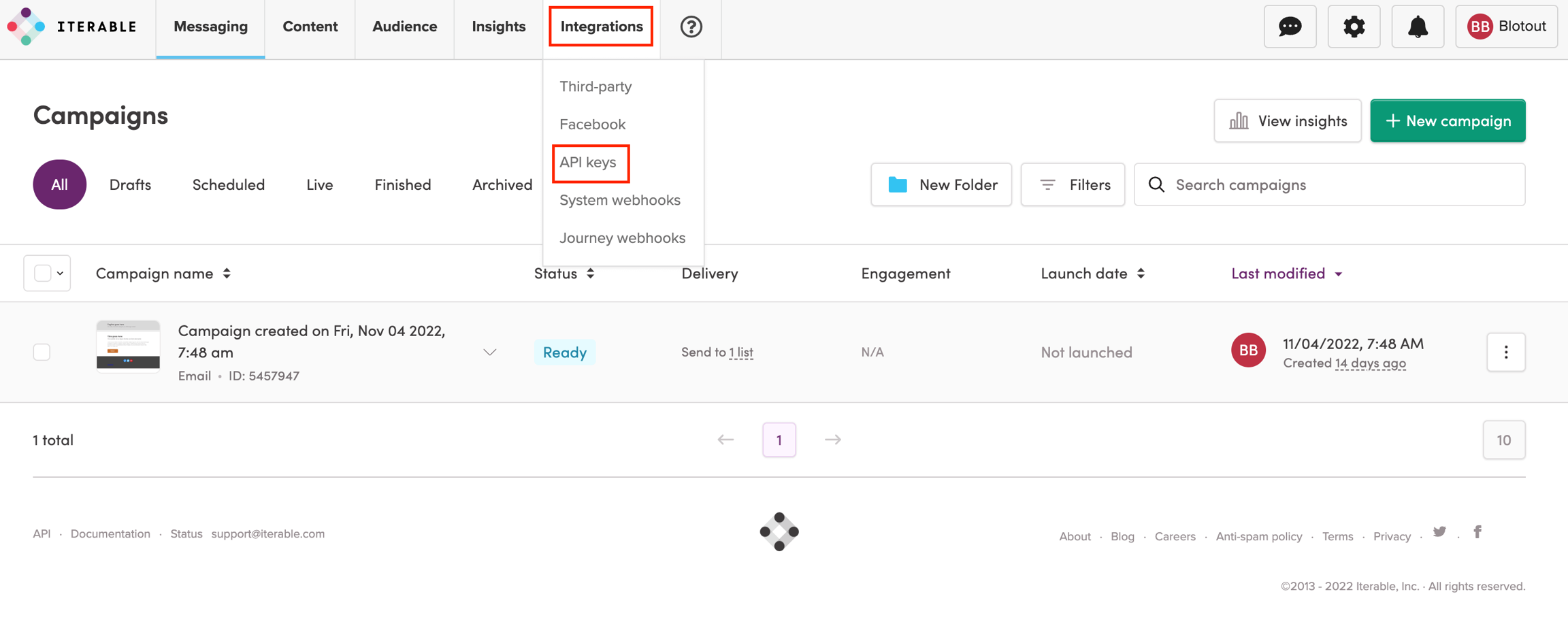
Go to Iterable and in the top menu, click on Integrations, then API keys.
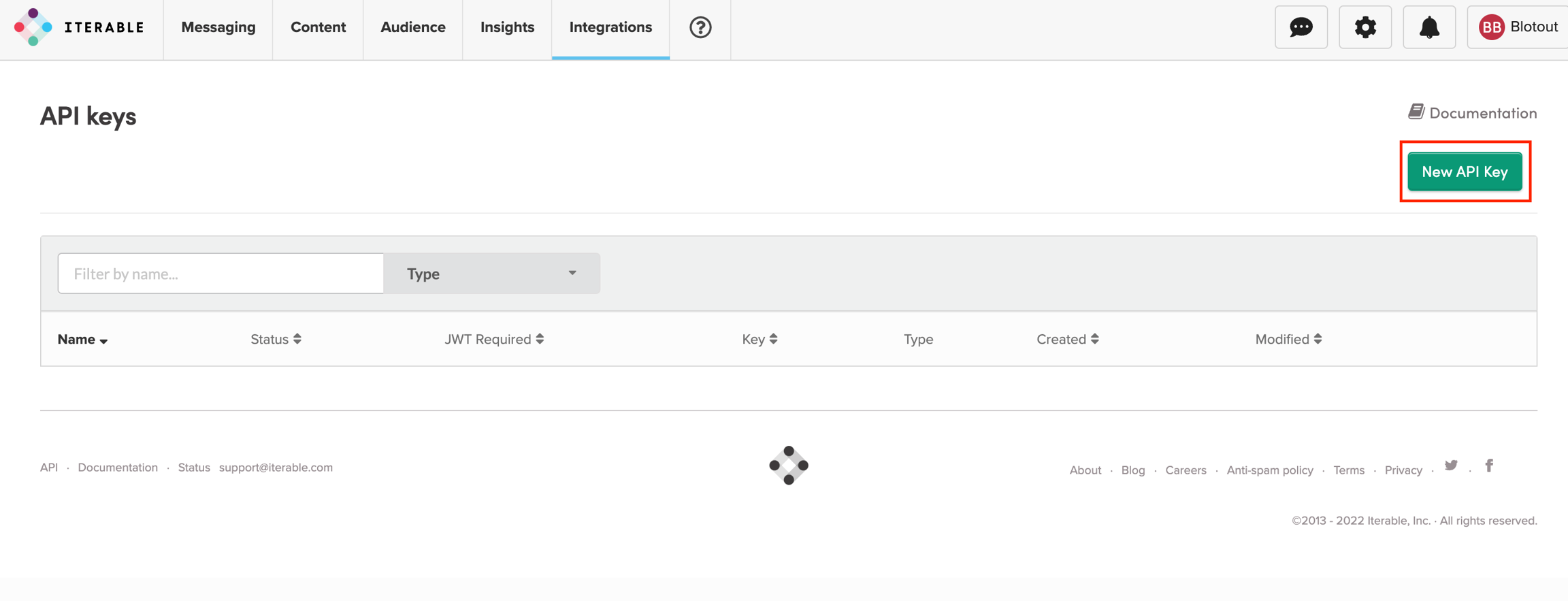
Click on New API Key
Enter the Name, and for Type, select JavaScript.
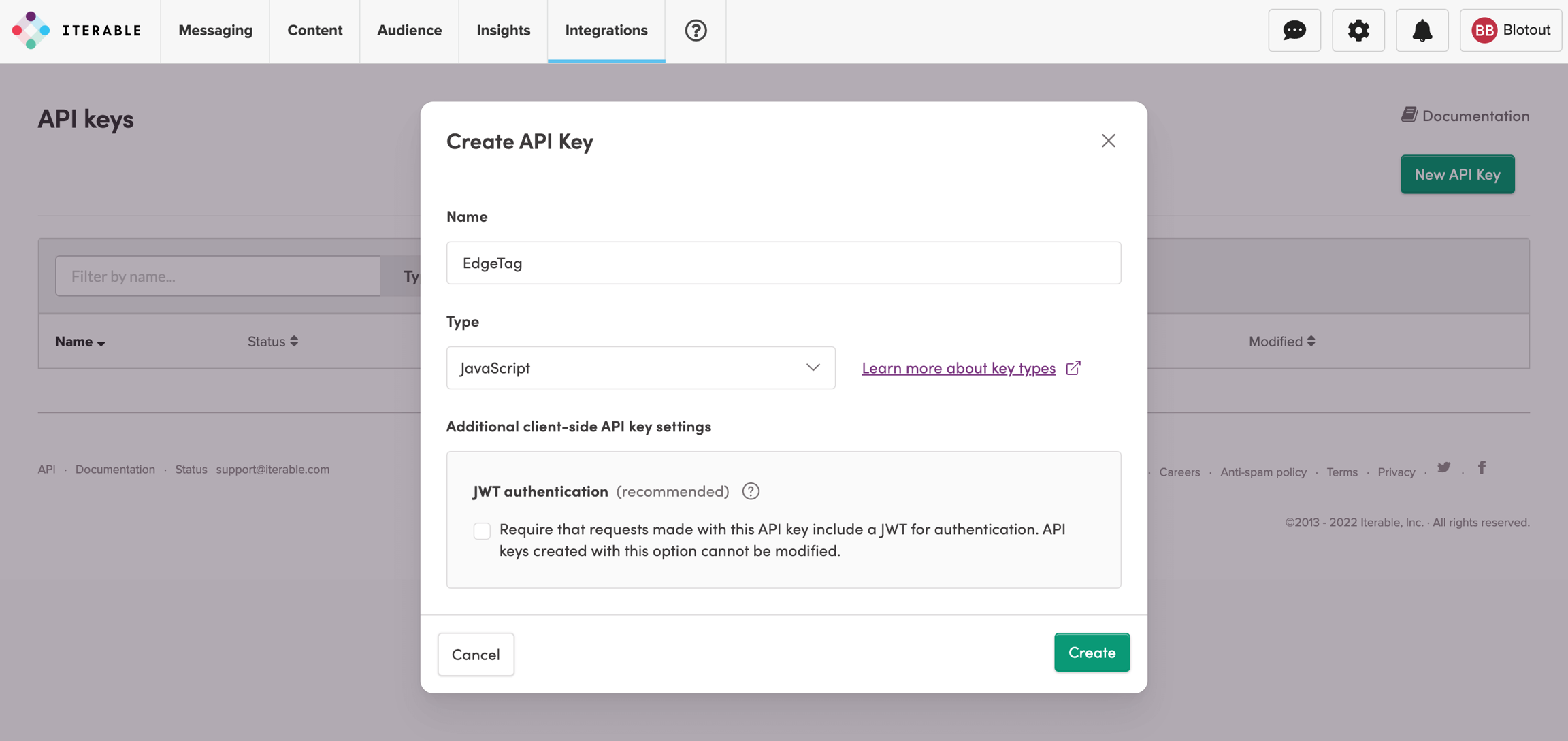
Disable JWT authentication because all calls are from the server side, so your secrets are never exposed.
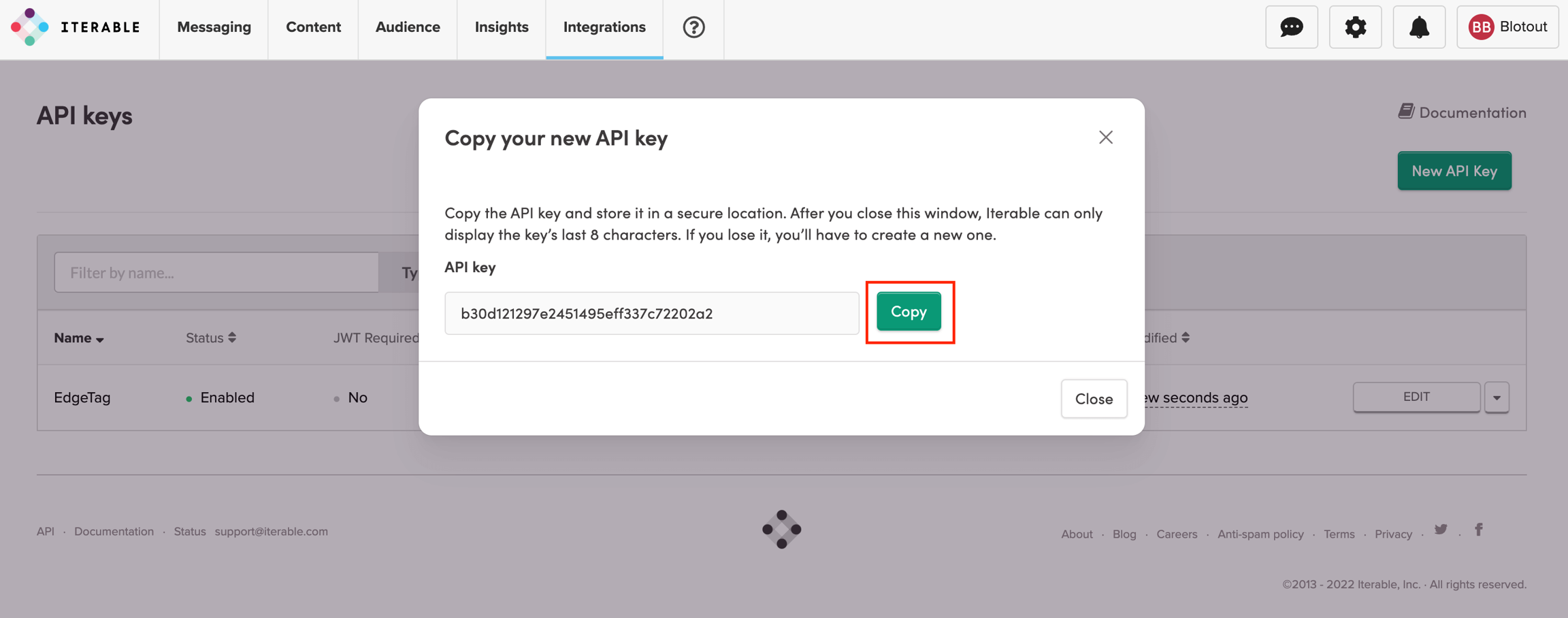
Copy the created API Key
Add Channel
To add a channel, begin by entering the channel's name. We recommend choosing a name that clearly describes the channel you are adding. This will assist with debugging if any issues arise.

Once you have entered the name, enter the API Key copied from the Iterable dashboard.

Click Save & Deploy.
Last updated
Was this helpful?